You save hundreds of videos and can never find the part that mattered. MarkerShelf fixes the saved-video graveyard — bookmark the exact second, not the whole video.
Free to start — no account needed. iPhone & iPad.
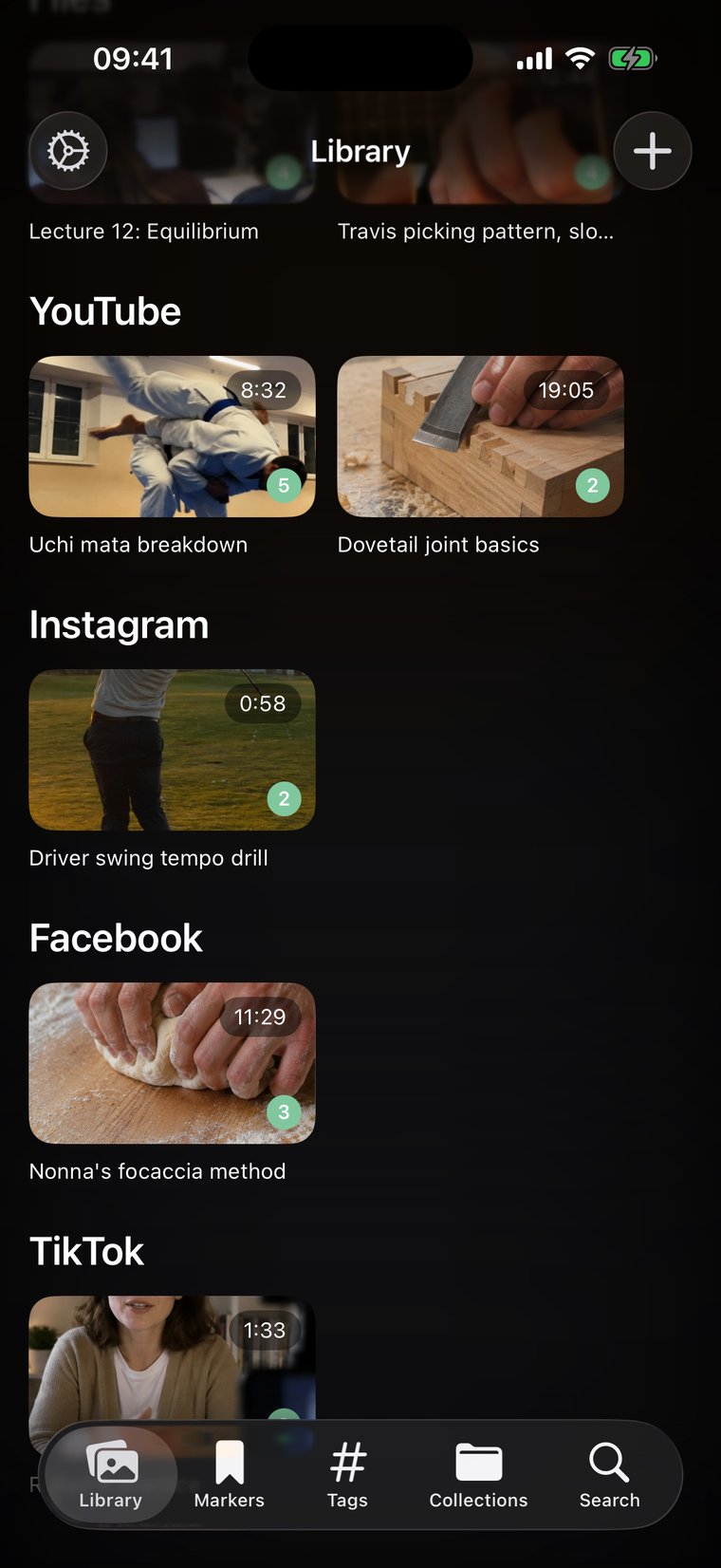
Likes, shares and bookmarks save the whole video — never the moment. So the recipe step, the drill, the one quote you needed gets buried, and you scrub for minutes to find it again.
Saves live in each app — YouTube here, Instagram there. Nothing is in one place you can actually search.
A bookmark points at the page. You still scrub through 40 minutes to reach the 12 seconds that mattered.
No notes, no tags, no transcript. Future-you has no idea why past-you saved it.
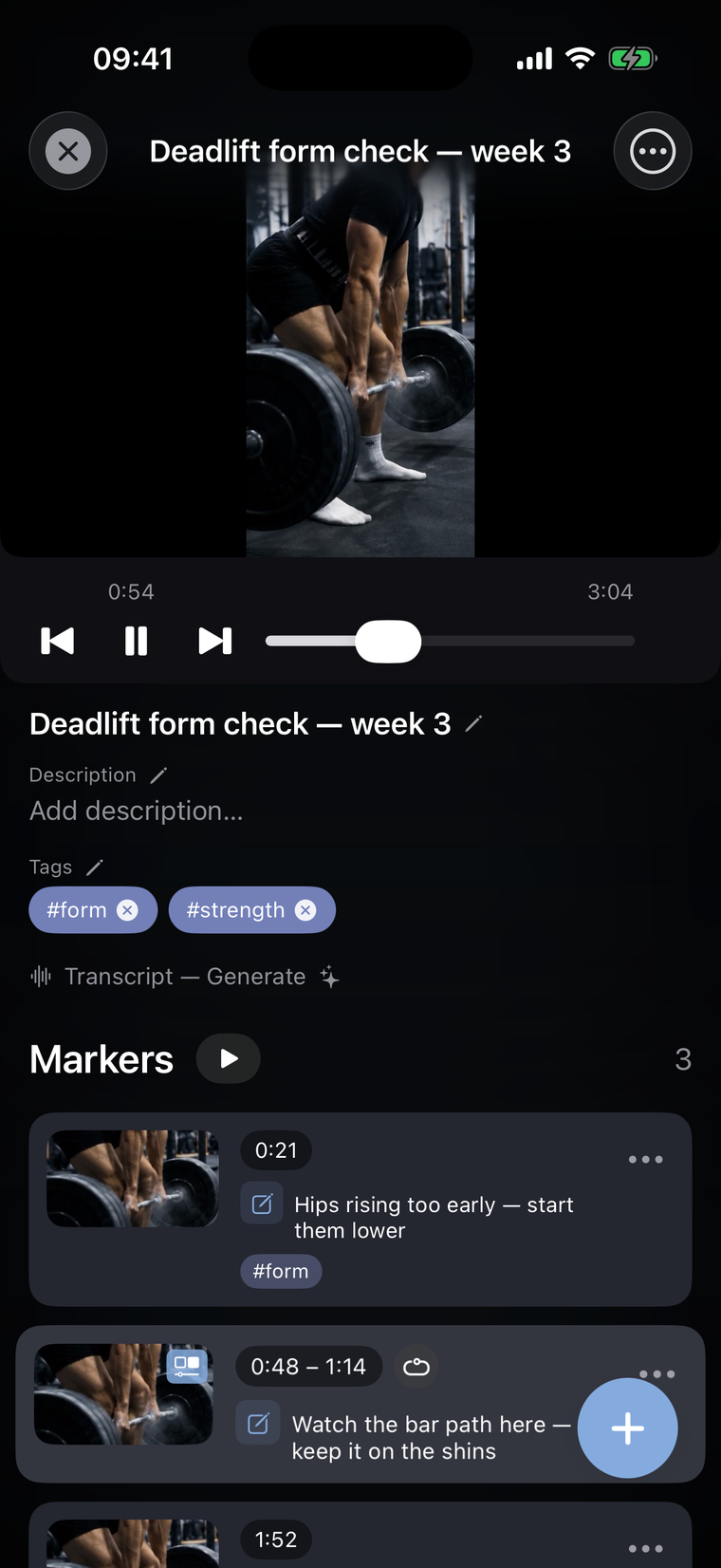
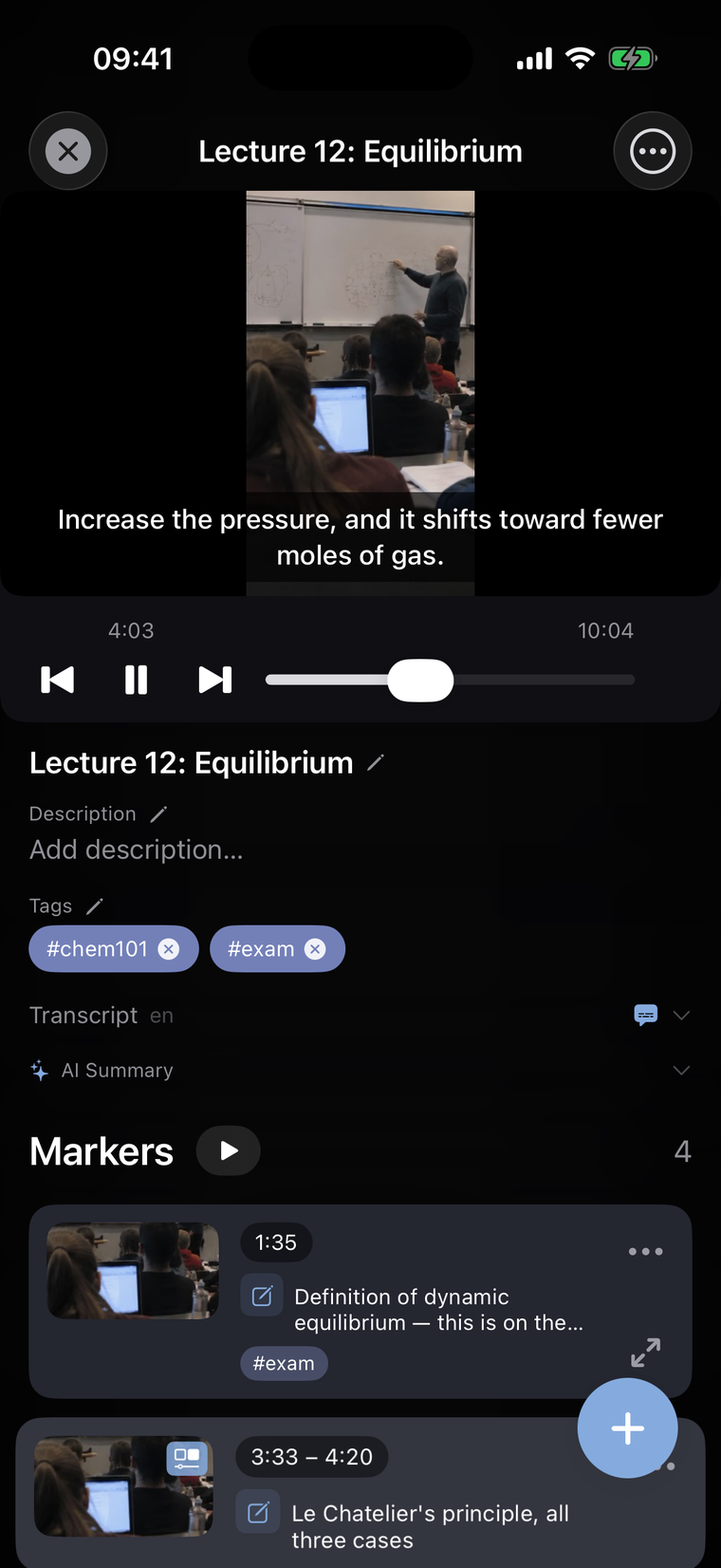
Watching anything? One tap captures the exact second — with a screenshot of that frame, your note, and tags. Spotted a flaw in your deadlift at 0:21? Mark it, write “hips rising too early”, and tap the marker later to jump the video straight back to that instant.
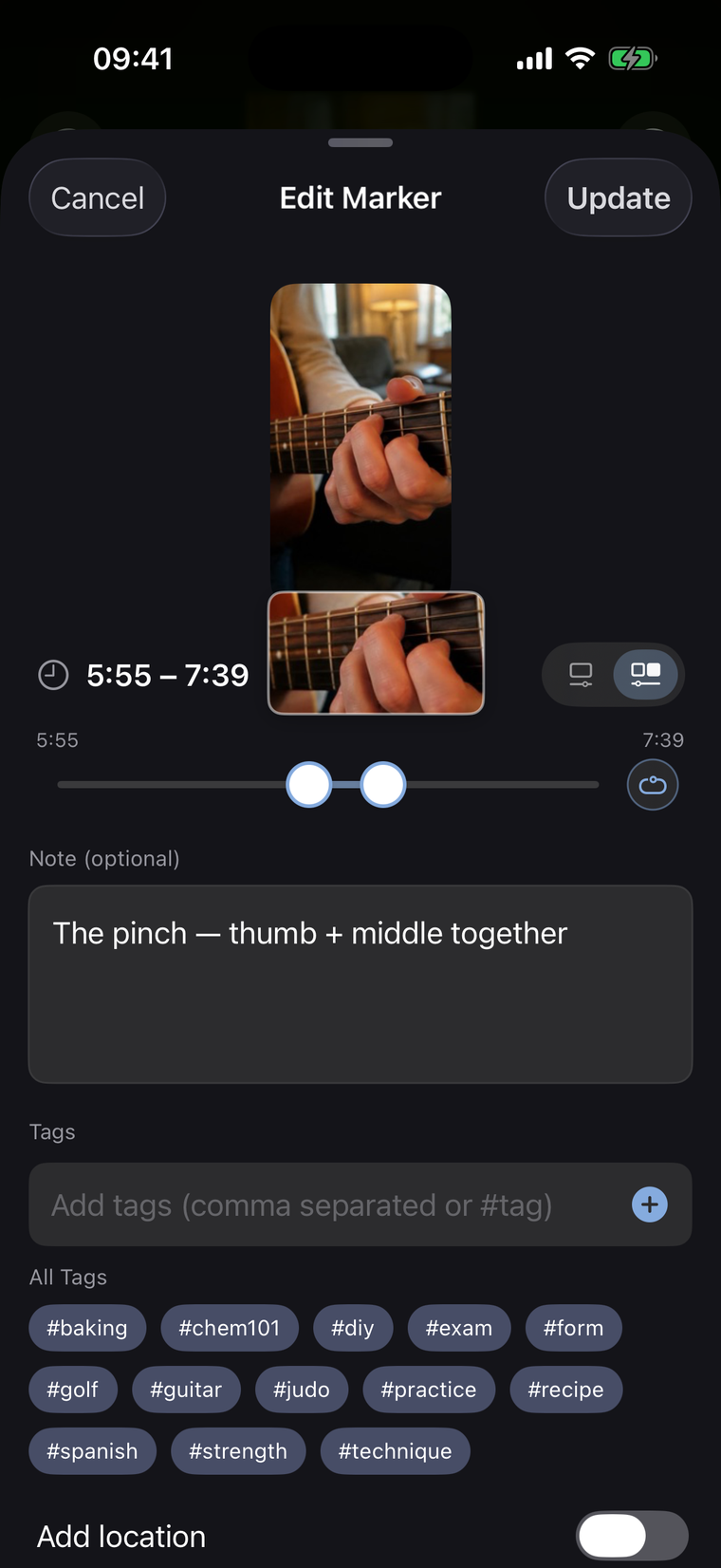
Range markers capture a whole segment, not just a point. Set the start and end handles around the guitar riff, flip on loop, and MarkerShelf replays it on repeat — perfect for drilling a move, a lick, or a tricky recipe step until it sticks.
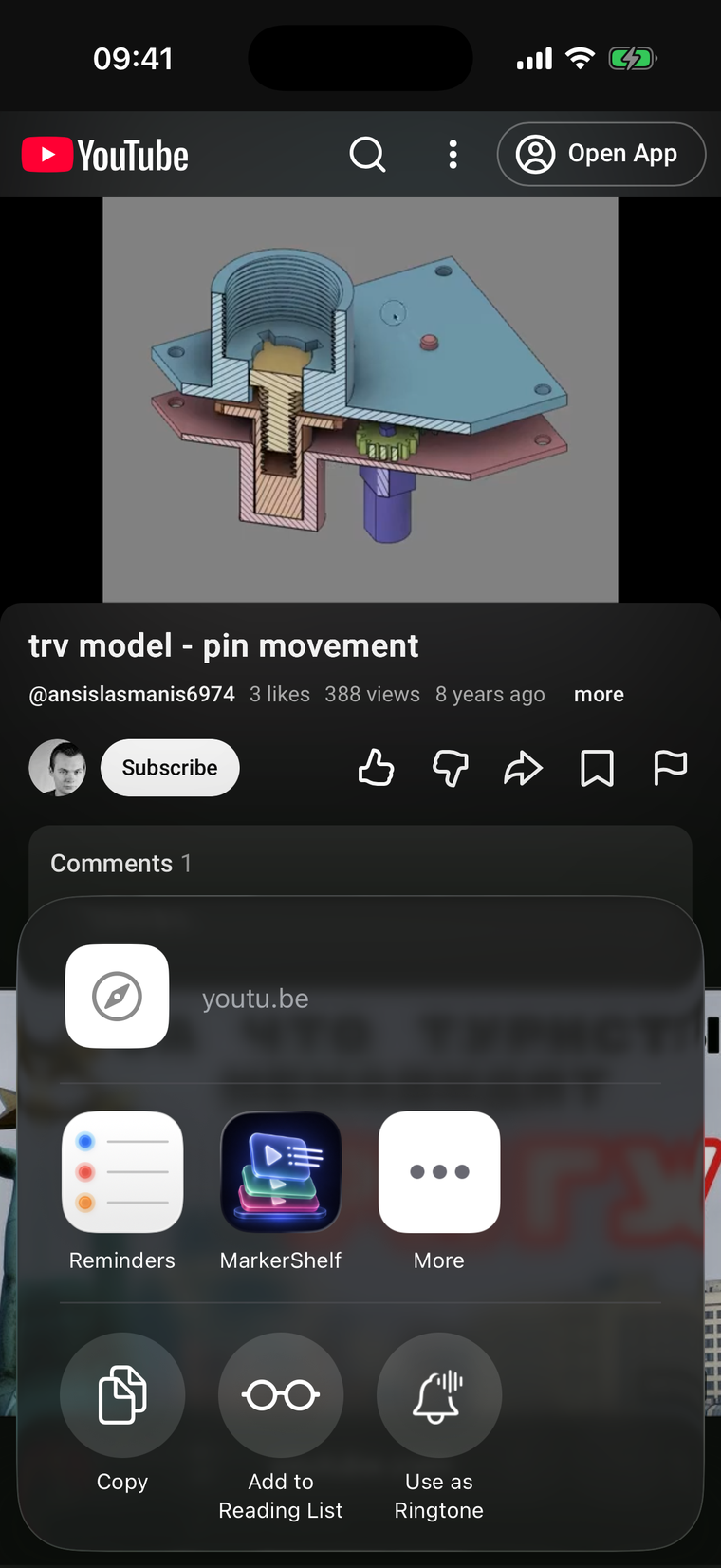
No copy-pasting links. In Safari, YouTube, Instagram — anywhere — tap Share, pick MarkerShelf, and the video lands in your library ready to mark. Paste a link works too, if that’s your style.
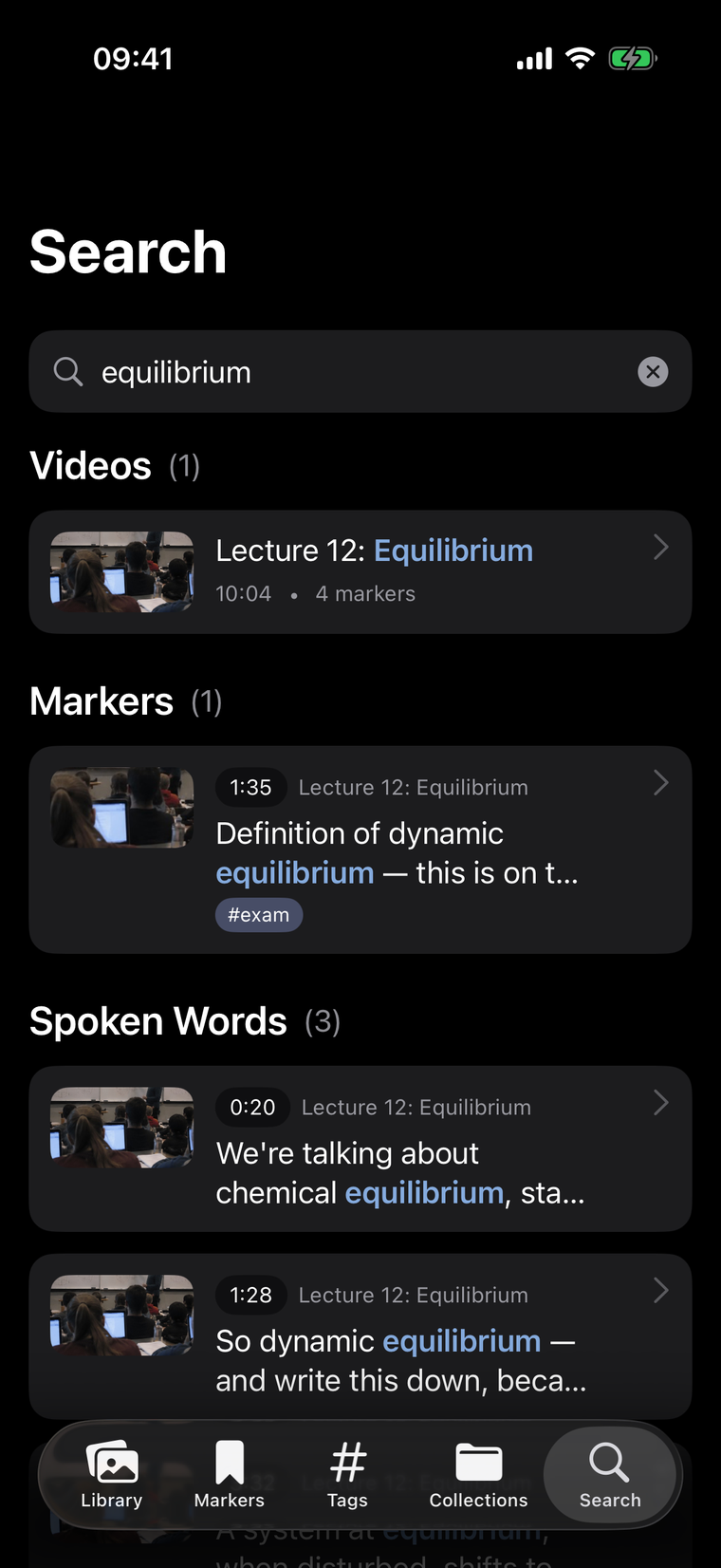
Every moment becomes findable. Search runs across video titles, your notes, your tags — and even the transcript of what was spoken on screen.
Search “equilibrium” and MarkerShelf surfaces the lecture, the marker, and the exact transcript line — tap a result and the video seeks right there. Titles, notes, tags and speech, all in one search box.
Generate a transcript of any video with one tap, entirely on-device. Read along while it plays, tap a line to seek to it, and get an AI summary of the whole video without anything leaving your phone.
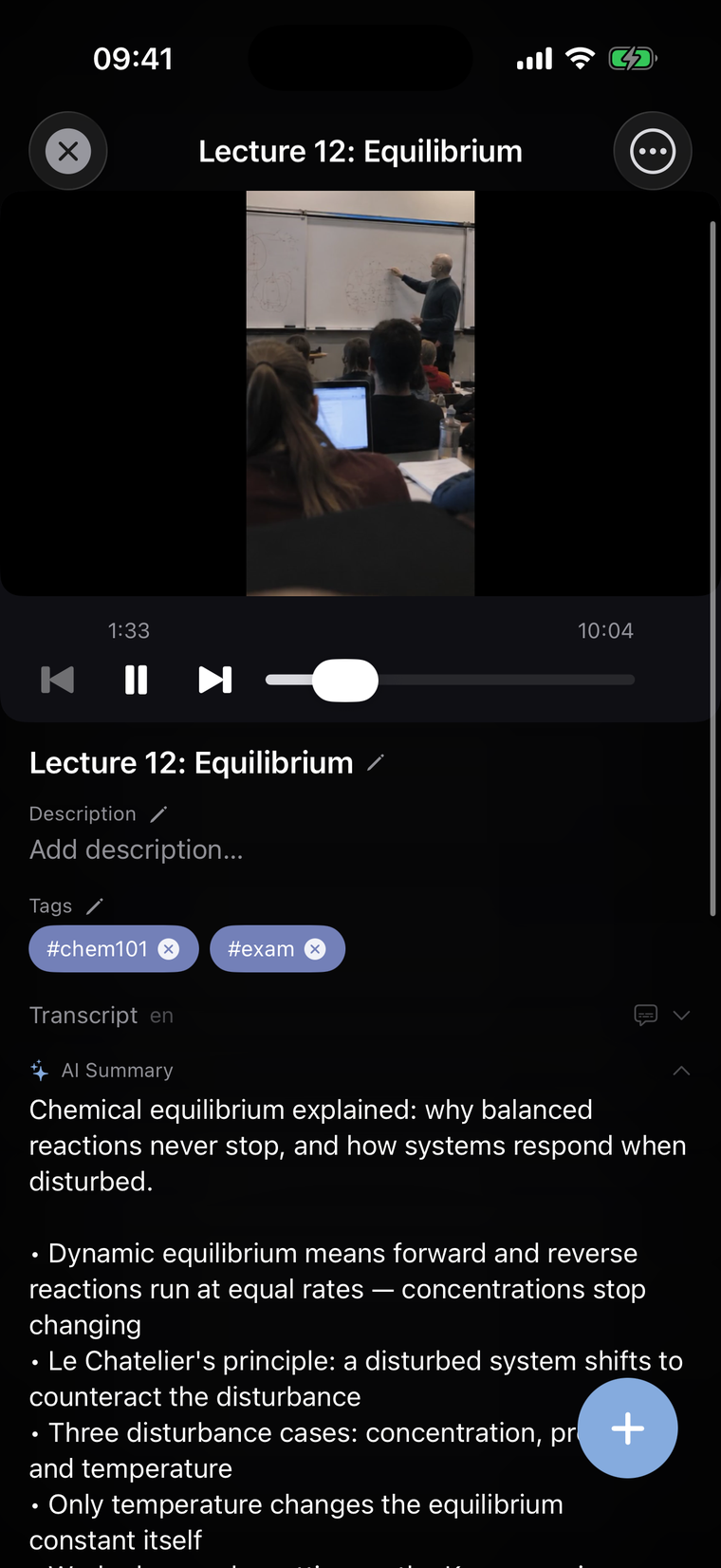
Once a video has a transcript, MarkerShelf overlays live captions right on the player. Follow a fast lecture, watch without sound on the train, or catch the words a mumbling instructor swallows.
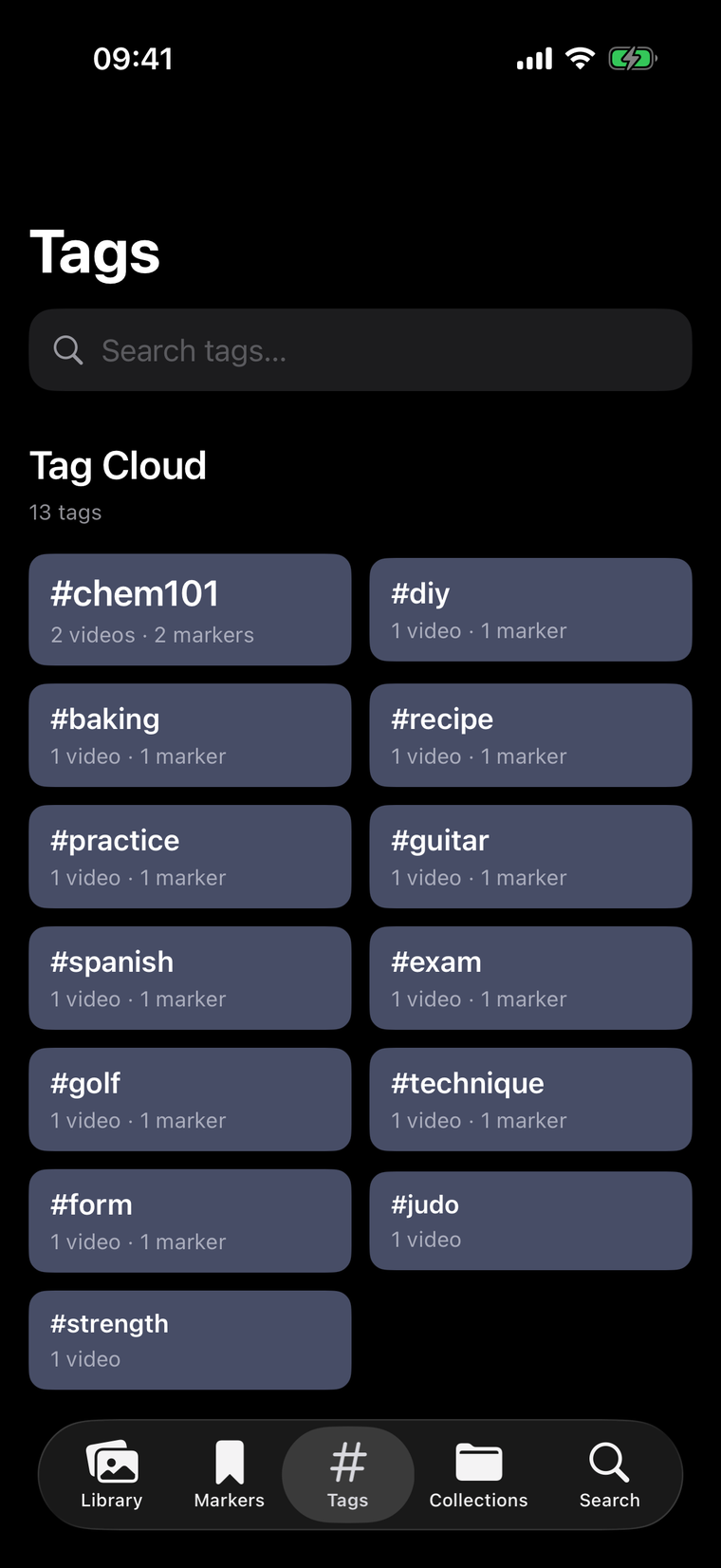
Tag videos and individual markers as you go — #form, #chem101, #recipe. The tag cloud shows your whole library at a glance, and one tap filters every matching moment. No manual folders, ever.
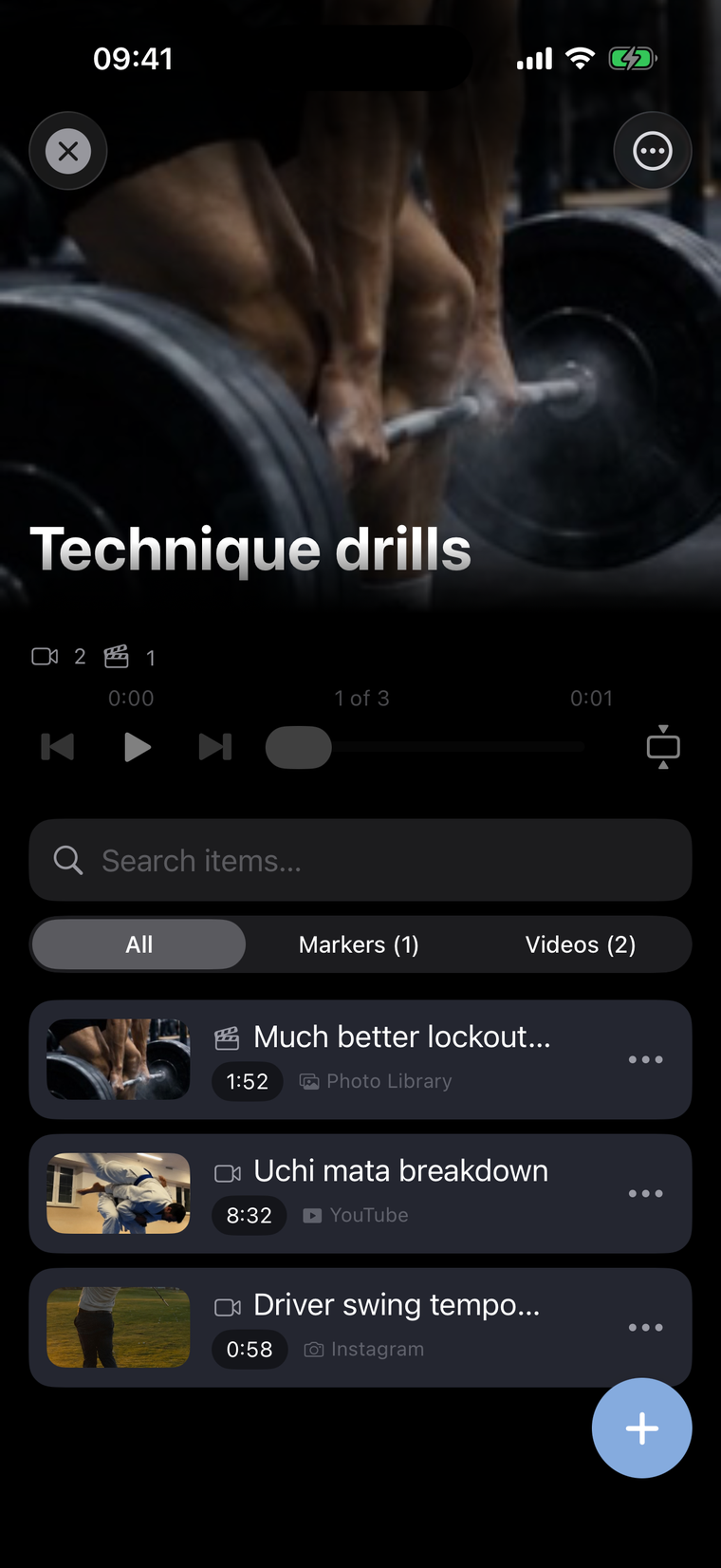
Group videos and individual moments into collections like “Technique drills”, then hit play. MarkerShelf runs them back-to-back — YouTube into TikTok into your own clip — as one continuous, auto-advancing playlist.
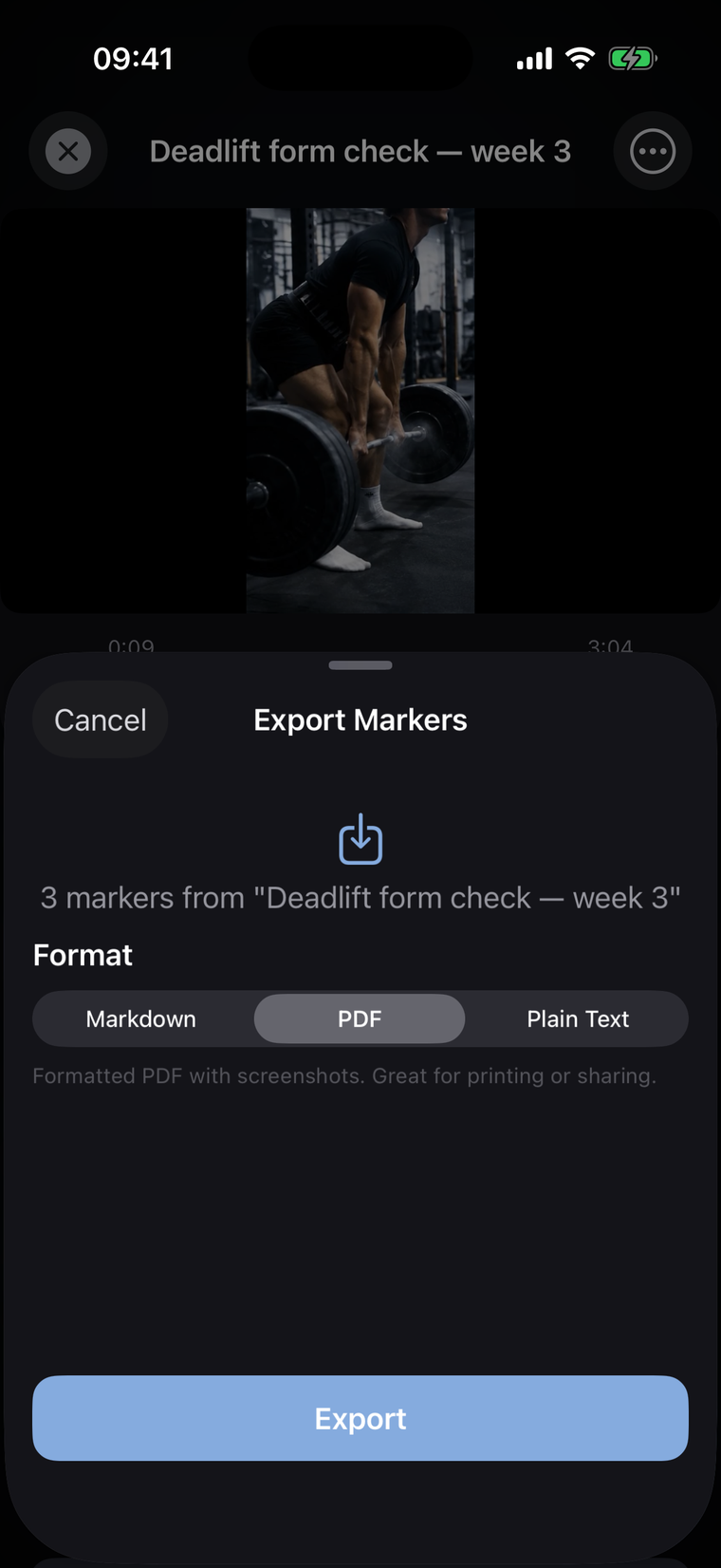
Export a video or a whole collection — markers, notes, tags and screenshots — as a clean PDF, Markdown for your notes app, or plain text. Study sheets, training recaps and recipe cards build themselves.
A calm, Photos-inspired design that feels right at home on iOS 26. Two-pane review on iPad, keyboard shortcuts, and your whole library in sync across devices.
Review like a desktop. Space plays, ⌘M drops a marker.
Your library follows you between iPhone and iPad automatically — privately, through your own iCloud.
No sign-up, no password, no tracking you across the web. Open the app and start marking.
YouTube, Instagram, TikTok and Facebook via a link or the iOS share sheet, plus your own videos from Photos and Files. Everything plays inside MarkerShelf, so markers and loops work the same across all of them.
A like or bookmark saves the whole video. MarkerShelf saves the exact second — with a screenshot, a note and tags — so you jump straight to the moment instead of scrubbing to find it.
A range marker captures a start-to-end segment. Turn on loop and that span replays continuously — ideal for practicing a move, a riff or a recipe step. Range & loop markers are part of Pro.
Yes. Transcription, AI summaries and live captions are generated entirely on your device. Your videos, notes and transcripts never touch our servers — sync happens through your own iCloud.
No. You can start marking moments for free with no sign-up. The free tier includes up to 10 videos, 3 markers each, 5 tags and full search.
MarkerShelf has been submitted to the App Store and is launching soon for iPhone and iPad (iOS 26). Check back shortly — this page will link straight to the download.
MarkerShelf is almost here — coming to the App Store for iPhone & iPad.
Coming soon to the App StoreFree to start · iPhone & iPad.